Visualize circuit timing
The code on this page was developed using the following requirements. We recommend using these versions or newer.
qiskit[all]~=2.5.2
In addition to visualizing instructions on a circuit, you might want to visualize a circuit's scheduling by using the Qiskit timeline_drawer method. This visualization could help you to quickly spot idling time on qubits, for example. However, this method does not return accurate results for dynamic circuits. To visualize dynamic circuit scheduling, use the draw_circuit_schedule_timing method, as described in the Visualize circuit timing guide.
Examples
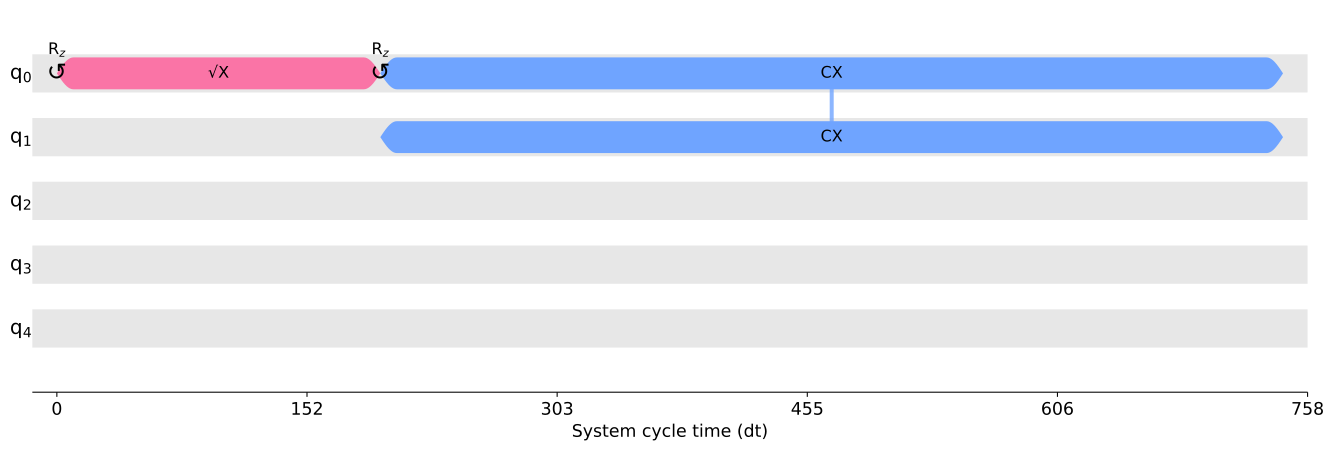
To visualize a scheduled circuit program, you can call this function with a set of control arguments. Most of the output image's appearance can be modified by a stylesheet, but this is not required.
Draw with the default stylesheet
from qiskit import QuantumCircuit
from qiskit.visualization.timeline import draw
from qiskit.providers.fake_provider import GenericBackendV2
from qiskit.transpiler import generate_preset_pass_manager

qc = QuantumCircuit(2)
qc.h(0)
qc.cx(0, 1)

backend = GenericBackendV2(5)

pm = generate_preset_pass_manager(backend=backend, optimization_level=1)
isa_circuit = pm.run(qc)

draw(isa_circuit, target=backend.target)
Output:
Draw with a stylesheet suited for program debugging
from qiskit import QuantumCircuit
from qiskit.visualization.timeline import draw, IQXDebugging
from qiskit.providers.fake_provider import GenericBackendV2
from qiskit.transpiler import generate_preset_pass_manager

qc = QuantumCircuit(2)
qc.h(0)
qc.cx(0, 1)
qc.measure_all()

backend = GenericBackendV2(5)
pm = generate_preset_pass_manager(backend=backend, optimization_level=1)
isa_circuit = pm.run(qc)
draw(isa_circuit, style=IQXDebugging(), target=backend.target)
Output:
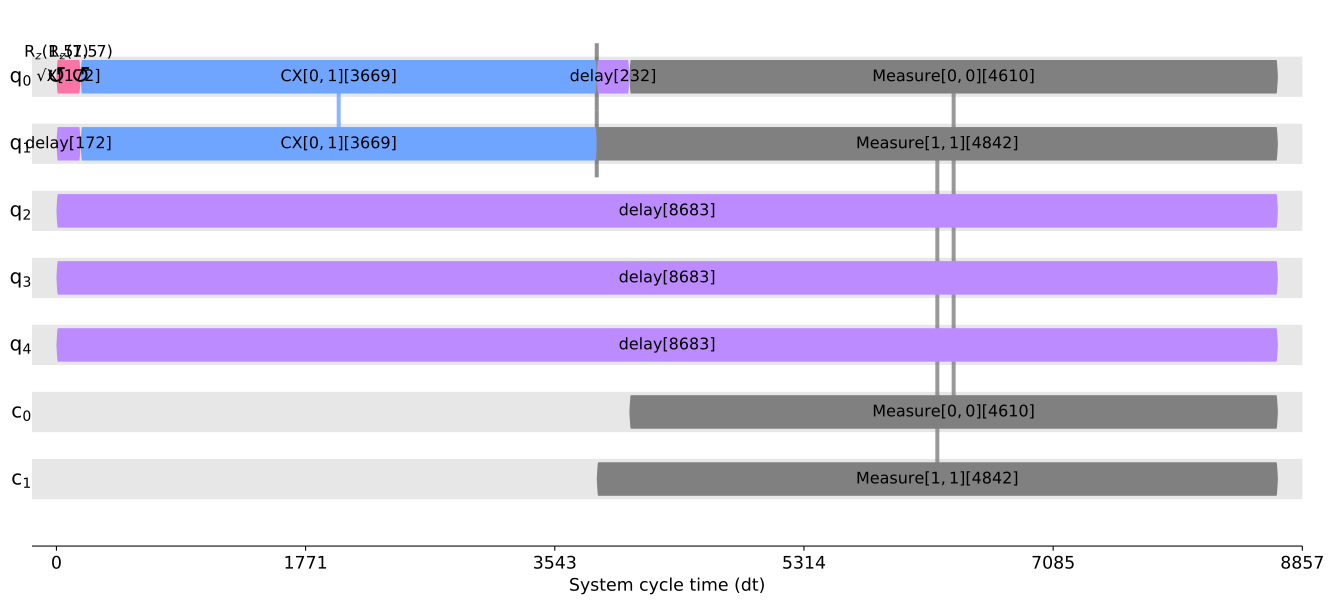
You can create custom generator or layout functions and update an existing stylesheet with the custom functions. This way, you can control most of the appearance of the output image without modifying the codebase of the scheduled circuit drawer. See the timeline_drawer API reference for more examples.
Next steps
- Visualize circuit timing when using IBM Quantum Compute Service
- Visualize circuits